
Kling 4: Create 30-second cinematic videos
Kling 4 brings more stable dynamic motion, realistic physical interactions, and stronger cinematic camera control to AI video. Combine multiple references, guide important moments with keyframes, and create videos up to 30 seconds long with greater consistency and creative freedom in Studio AI.
How to use
Enter a text prompt or upload a still, choose Kling 4 in the generator and set duration, resolution, and framing from the options shown, then preview and export.
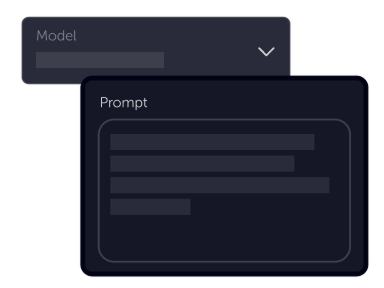
Tell your vision
Describe action, camera movement, lighting, and mood—or upload an image when you want a defined starting look. Detailed, visual language works better than abstract labels.
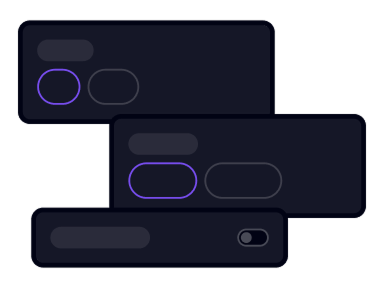
Choose settings
Select clip length, output resolution, and aspect ratio from the controls shown for Kling 4—including 21:9 ultrawide when it appears in the generator.
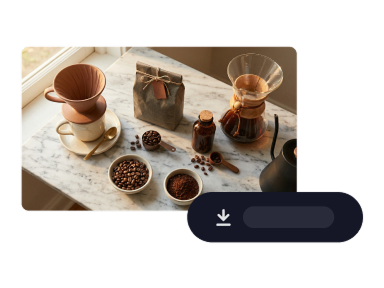
Download
Watch the preview, refine the prompt or settings, then download—or iterate for the next beat in a longer story.
What’s new in Kling 4
Built on Kling 4.0’s native multimodal video model—longer single-pass generation, timeline keyframes, richer references, and production-minded motion and audio.
Up to 30 Seconds Generation
Kling 4 supports native video generation from 3 to 30 seconds in a single pass. Create longer takes, connected story moments, and multi-shot sequences with stronger continuity in character actions, camera movement, and scene progression.
Up to 10 Keyframes
Place up to ten flexible keyframe images along the timeline to guide important visual moments. Control character poses, scene changes, camera composition, and shot transitions while Kling 4 generates the movement between them.
Omni Reference and greater control
Combine up to fifteen reference assets in one task—images, videos, subjects, and voice references within the limits shown in the uploader—to steer identity, products, motion, pacing, and style. Recreate proven composition while swapping characters, products, or backgrounds.
Stable motion and realistic action
More stable motion and realistic physical interactions in demanding scenes—fast fights, sports, and large-scale action—with smoother tracking, orbit, and continuous movement. Improved lip sync and two-channel stereo audio help dialogue and performance feel more immersive.
Explore Kling 4 in Studio AI
Choose Kling 4 from the model list, shape prompts and references, and direct clips up to 30 seconds when that duration is available in your workflow.
Try Kling 4 nowFrequently asked questions
Answers aligned with Kling 4.0 capabilities—worded for Studio AI workflows, not raw product specs.
What is Kling 4?+
Kling 4 is a native multimodal AI video model focused on stable complex motion, stronger reference consistency, and more controllable storytelling. It supports longer single-pass generation, multiple keyframes, and combined reference inputs when those controls are enabled in your workspace.
How do I get started with Kling 4?+
Open Generate video or Convert image to video, pick Kling 4 from the model list, add a prompt or still, adjust duration and framing from the options shown, then generate and preview the result.
How many references can I use?+
Kling 4’s Omni Reference workflow is built for many inputs in one task—up to fifteen combined assets such as images, videos, subjects, and voice references, subject to the limits displayed in the uploader.
What’s the difference between Kling 4 and Kling 3?+
Kling 4 extends native generation toward 30-second clips, adds up to ten timeline keyframes, and supports richer multimodal references with stronger motion stability and camera direction. Kling 3 tiers remain available when you want an earlier workflow or faster turbo options.
Can Kling 4 generate from text and images?+
Yes. Start from a text prompt in Generate video or from a still in Convert image to video. Reference-driven setups appear when the tool exposes reference uploads for Kling 4.
How many keyframes does Kling 4 support?+
Up to ten flexible keyframe images in a single generation when the keyframe workflow is available—use them to pin poses, compositions, scene changes, and other story beats while the model fills motion between them.
How long can Kling 4 videos be?+
Kling 4 is designed for roughly 3 to 30 seconds in one pass. Pick a duration from the options shown when Kling 4 is selected; longer storytelling may be supported through extension or follow-up passes when Studio AI offers them.
What resolution and formats does Kling 4 support?+
Expect 720p and 1080p output in the generator, plus aspect ratios such as 16:9, 9:16, 1:1, and 21:9 ultrawide when listed. Higher dynamic range and 4K options roll out on Kling’s roadmap—use whatever resolutions appear for Kling 4 in the tool.