
Gemini Omni: Multimodal creation, starting with video
Google’s Gemini Omni Flash is live in Studio AI—where reasoning meets generation. Create from text or stills, refine footage with conversational edits, and export 5s or 10s clips in 16:9 or 9:16 for feeds, pitches, and review cuts.
How to use
Describe the shot, add references when helpful, choose duration and aspect ratio, then export—or upload existing footage to refine it conversationally in video-to-video.
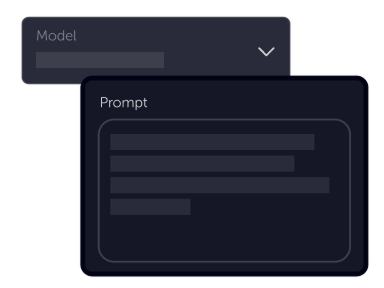
Tell your vision
Write a prompt for text-to-video, upload a still for image-to-video, or bring a short clip into video-to-video. Combine text with visual references to lock character, style, or motion.
Choose settings
Fine-tune your output by adjusting the available settings to match your creative vision and project requirements
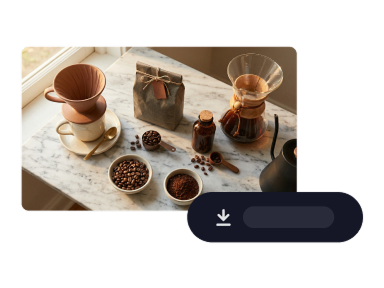
Download
Preview results, stack new instructions for conversational edits, then download when the scene matches your brief.
Product benefits
Move from brief to polished shorts with Google’s multimodal video line—stack natural-language edits, steer from references, and keep scenes coherent across turns.
Open text-to-videoConversational edits that stack across turns
Refine video with natural language where each instruction builds on the last—swap looks, relight scenes, or adjust camera moves while aiming to keep characters, physics, and context consistent.
Grounding in world knowledge and motion
Gemini Omni reasons about what should happen next—pairing intuitive physics with broader knowledge so generated motion can feel purposeful for narrative, explanatory, or product-led shots.
Many reference types, one coherent output
Start from text, animate approved stills, or mix visual references into a single render—use the Studio AI workflow that matches where your asset sits in the pipeline.
Ready to create with Gemini Omni?
Open text-to-video, choose Gemini Omni in the model list, and turn your next brief into a polished short—or start from a still or clip in the sister tools.
Launch text-to-videoGemini Omni
Gemini Omni is available in Studio AI across text-to-video, image-to-video, and video-to-video. Select it in the model picker and follow the workflow that fits your asset—fresh generation or iterative edits on existing footage.
Frequently asked questions
Answers about using Gemini Omni in Studio AI.
What is Gemini Omni?+
Gemini Omni is Google’s multimodal creation line, with Gemini Omni Flash as the variant in Studio AI. It combines Gemini-style reasoning with video generation and conversational editing—create from prompts or references, then refine across turns.
Which Studio AI tools support Gemini Omni?+
Select Gemini Omni in text-to-video for scenes you describe in words, image-to-video when you start from a still, or video-to-video when you want to edit existing footage with stacked natural-language instructions.
How does conversational editing work?+
In video-to-video, upload a short clip (4–9 seconds) and add follow-up prompts to adjust environment, camera, style, or details—each turn builds on the prior scene instead of starting from scratch.
Which durations and aspect ratios are available?+
Studio AI offers 5s and 10s outputs with 16:9 or 9:16 aspect ratios for Gemini Omni in the generator. Pick placement before you generate.
Does Gemini Omni generate audio?+
Google’s Omni Flash model is designed to produce audio alongside video. Check the outputs and tool options shown in your Studio AI workspace for the latest behavior on your plan.
Can I use Gemini Omni commercially?+
Commercial use depends on your MotionElements plan and the terms that apply to AI generations in Studio AI. Review your account license details before shipping client work.
Do I need video editing experience?+
No. Plain-language prompts and optional reference uploads are enough to start; use duration and aspect settings when you want tighter control.