
Grok Imagine Video v1.5
Stills with motion and synced audio
Turn a still into a short clip with native synchronized audio—better motion and physics than the earlier Grok Imagine Video line. In Studio AI’s image-to-video flow, upload a frame, describe the move, and pick duration up to 15 seconds with 480p, 720p, or 1080p output.
How to use
Upload a still, describe motion and audio mood, choose duration and resolution, then generate and download—three steps from frame to shareable clip.
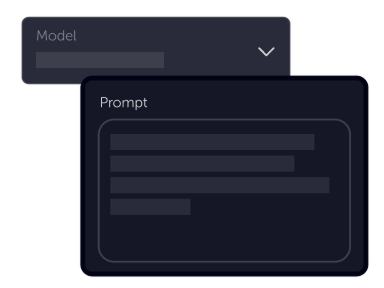
Tell your vision
Start with an image and describe how it should move—camera, action, lighting, and sound. v1.5 preserves identity from the still while animating with stronger motion and physics.
Choose settings
Fine-tune your output by adjusting the available settings to match your creative vision and project requirements
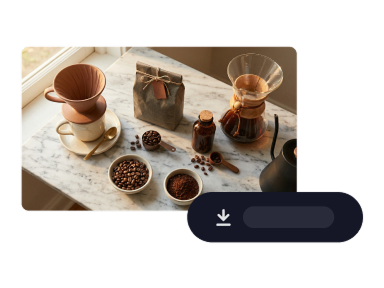
Download
Preview the clip with its generated audio, refine the prompt or settings, then export when the motion and sound match your test.
Product benefits
Use Grok Imagine Video v1.5 when you need expressive motion, synced sound, and flexible clip length from a single approved still—before you commit to a heavier cinematic pass.
Open image-to-videoNative audio generated with the picture
v1.5 builds synchronized sound in the same pass as the video—ambient tone, effects, and dialogue land with the motion instead of bolting audio on later.
Clips up to 15 seconds for real story beats
Choose 5, 10, or 15 second outputs when a quick spike is not enough—room for a camera move, reaction, or product reveal without switching models.
480p to 1080p as your review stage needs it
Draft at lighter resolutions, then step up to 720p or 1080p when stakeholders need sharper motion and texture—all inside the same Grok Imagine Video v1.5 workflow.
Ready to bring a still to life?
Open Image to video, choose Grok Imagine Video v1.5, and turn an approved frame into a clip with synced audio in minutes.
Animate imageGrok Imagine Video v1.5
Grok Imagine Video v1.5 is available in Studio AI through image-to-video. Select it in the model menu, upload your still, describe motion and audio, and tune duration and resolution to match your review stage.
Frequently asked questions
Straight answers about Grok Imagine Video v1.5 in Studio AI.
What is new in Grok Imagine Video v1.5?+
v1.5 is xAI’s image-to-video upgrade: stronger motion and physics, native synchronized audio in the same generation pass, clip lengths up to 15 seconds, and 480p through 1080p resolution options in Studio AI.
Does Grok Imagine Video v1.5 support text-to-video?+
In Studio AI, Grok Imagine Video v1.5 is available in Image to video—upload a still and describe how it should move. For text-only generation, compare other models in the Text-to-video tool.
How long can clips be?+
Studio AI exposes 5, 10, and 15 second duration options for Grok Imagine Video v1.5—pick the length that fits your story beat or social placement.
Which resolutions can I choose?+
Grok Imagine Video v1.5 supports 480p, 720p, and 1080p in Studio AI. Use lighter settings for fast drafts and step up when reviewers need sharper detail.
Can I use it for commercial work?+
Commercial use depends on your plan and the terms governing generated media. Check your account licensing details before shipping client-facing assets.
How should I write prompts?+
Describe camera movement, subject action, lighting, and the audio mood you want—effects, ambience, or spoken tone. Concrete direction helps v1.5 match both motion and sound to your intent.
Do I need specialist skills?+
No. Plain-language prompting and an uploaded still are enough to start; optional duration and resolution settings give you more control when you need it.